The best screen time apps for Android in 2026
Android has no equivalent of Apple's Screen Time API, so every app on this list solves the same problem a different way. That is the whole story of the category, and it is what should decide which one you install.
By Ruslan Shchuchkin, who built PhoneStop · · Read this page as Markdown
Most lists of screen time apps rank them on features. That is the wrong axis. Every app here can show you a chart, and every app here can set a limit. What separates them is the ten seconds after you reach that limit: whether the app negotiates, blocks, or stops you, and whether it saw the whole phone or just the three apps you remembered to list.
So each entry below says what the app does at the limit, in plain language, and who that suits.
How we judged them
- What happens at the limit. A dismiss button, a block, or a full stop. This is the only feature that changes behaviour.
- Whole phone or per app. Per-app limits leak: you hit the limit on one app and move to the next.
- What permission it wants. An accessibility service can read your screen. A VPN profile sees your traffic. Both are common here, and both are worth knowing about before you tap Allow.
- Whether it survives. Some Android manufacturers kill background services aggressively, which quietly breaks any app in this category.
- Price, honestly. Free tiers that are unusable are not free.
| App | Best for | Whole-phone limit | Warns before the limit | Platforms | Price | Try it |
|---|---|---|---|---|---|---|
| PhoneStop | One budget for the whole phone | Yes | Yes: 60/30/10 min left | Android | Free | Get it free |
| AppBlock | Strict blocking | No | Profile start and end notices | Android, iPhone | Usable free tier; premium by month, year or a one-time payment | vs PhoneStop |
| StayFree | Seeing where the time actually went | No | Per-app alert | Android, iPhone, Chrome | Free with a premium tier | vs PhoneStop |
| ScreenZen | A free pause before the app opens | No | Only on app open | iPhone, iPad, Android | Free, donation-supported | vs PhoneStop |
| Digital Wellbeing | Trying the idea tonight for free | No | No | Android (built in) | Free | vs PhoneStop |
| one sec | Compulsive opening | No | No | iPhone, iPad, Android, browser extension | Free for one app; subscription to go further (around $50/year) | vs PhoneStop |
| Brick | When software has already failed | No | No | iPhone and Android (needs recent OS versions) | $59 one-time for the puck; the app is free | vs PhoneStop |
The list
1. PhoneStop: One budget for the whole phone
Android · Free
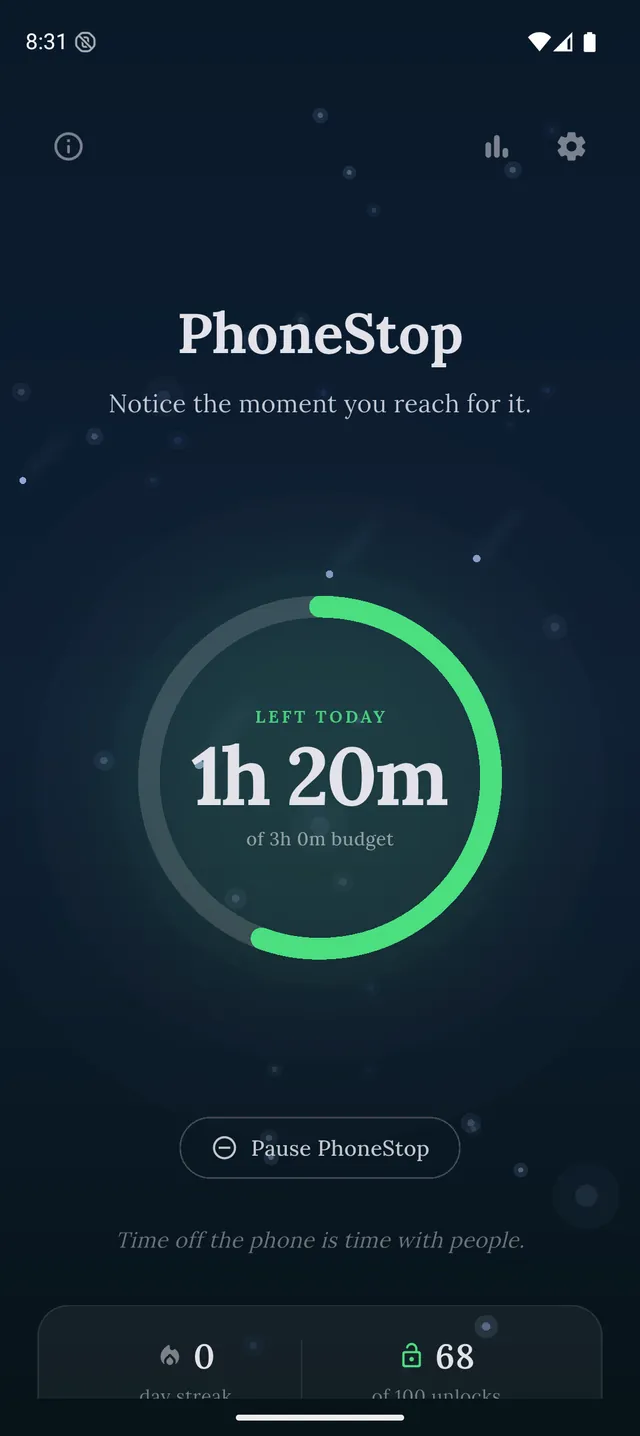
Set the hours you want for the day. The ring on the home screen drains as you use the phone, warnings arrive at 60, 30 and 10 minutes left, inside whatever app you are in, and at zero a full screen takes over: breathe or do twenty squats, then lock the phone in one tap. It never blocks a specific app, which is the trade.
PhoneStop
30 minutes left
Half an hour of budget to go. A good moment to pick where it goes.
PAUSE
PhoneStop
Time's up
You are out of budget for today. Take a minute, then lock the phone.
PAUSE
Good: Free, no configuration, no account, and your screen time never leaves your phone.
Less good: Android only, no per-app or website blocking, and it is new.
2. AppBlock: Strict blocking
Android, iPhone · Usable free tier; premium by month, year or a one-time payment
Profiles, schedules, per-app and per-website rules, and a Strict Mode that refuses to be switched off once it is running. The most serious enforcement on Android, and the most setup.
Good: Strict Mode genuinely resists you; the free tier is usable.
Less good: Wants an afternoon of configuration and an accessibility service for the good parts.
Read the full PhoneStop vs AppBlock comparison
3. StayFree: Seeing where the time actually went
Android, iPhone, Chrome · Free with a premium tier
The clearest usage reporting on Android: per app, per day, per week, with limits you can attach to individual apps. Start here if you do not yet believe the number.
Good: Excellent free tracking, and the numbers come from Android's own usage data.
Less good: Knowing is not stopping: the blocking half is soft.
Read the full PhoneStop vs StayFree comparison
4. ScreenZen: A free pause before the app opens
iPhone, iPad, Android · Free, donation-supported
A delay screen, a question about why you are opening the app, and a cap on how many times you may open it that day. Free, donation-supported, and on iPhone too.
Good: The strongest genuinely free option in the category.
Less good: Per app, so anything not on your list is invisible to it.
Read the full PhoneStop vs ScreenZen comparison
5. Digital Wellbeing: Trying the idea tonight for free
Android (built in) · Free
Already on your phone. App timers grey out the icon when the limit is up. The timer is one you set yourself and can change or remove yourself in Settings, so it holds only as long as you let it.
Good: Zero installs, part of the OS, cannot be killed in the background.
Less good: Self-imposed and easy to lift, per app only, and no warning before the end.
Read the full PhoneStop vs Digital Wellbeing comparison
6. one sec: Compulsive opening
iPhone, iPad, Android, browser extension · Free for one app; subscription to go further (around $50/year)
A breath and a confirmation before the app opens. If you unlock the phone and find yourself in Instagram without having decided to be, this is the one aimed at you.
Good: The best-evidenced mechanism here.
Less good: Free tier covers one app; needs an accessibility service on Android.
Read the full PhoneStop vs one sec comparison
7. Brick: When software has already failed
iPhone and Android (needs recent OS versions) · $59 one-time for the puck; the app is free
A $59 NFC puck. Tap to make the apps disappear, tap again to bring them back, so the undo means walking to wherever you left the puck.
Good: The strongest friction on this page, and a one-time cost.
Less good: $59, an account, and useless if the puck is in your pocket.
Read the full PhoneStop vs Brick comparison

The verdict
If you want one recommendation: install Digital Wellbeing tonight and look at your weekly number, because it is free and it is already there. If that number is worse than you expected and you dismiss the timer most days, the fix is not more discipline: it is an app that covers the whole phone and does not offer you an exit at the worst moment. That is PhoneStop, and it is free. If you would rather build a wall than watch a meter, AppBlock builds the best wall on Android.
Disclosure: we make PhoneStop, so treat our own entry with the scepticism it deserves. Everything else here is written from public information and hands-on use; prices and platforms were checked in September 2026 and change often, so check the vendor before you pay.
PhoneStop is a free Android app. Set a daily screen time budget, get warned before it runs out, and get stopped when it does.

Android. No account, no ads. Your screen time never leaves your phone. An iPhone version is coming soon.
Questions people ask
What is the best free screen time app for Android?
ScreenZen and PhoneStop are both free (PhoneStop's optional $9.99 Supporter upgrade only adds an extra notification tone), and Digital Wellbeing is already installed. StayFree's free tier is the best for tracking. See the free guide.
Why do Android screen time apps need an accessibility service?
Android has no dedicated screen time API for third-party apps, so blocking websites or detecting app launches usually means the accessibility service. It is a powerful permission (it can read screen content), so grant it only to apps you trust. PhoneStop does not use one.
Do screen time apps drain the battery?
A well-built one costs very little: they run a foreground service and wake on screen on and screen off rather than polling. If an app in this category noticeably hurts your battery, that is a bug, not the price of the category.