Why blocking one app does not lower your screen time
You can block every app on your list and still spend the same six hours on the phone. That is not a failure of discipline. It is what a blocklist is for.
By Ruslan Shchuchkin, who built PhoneStop · · Read this page as Markdown
The time moves
Here is the sequence almost everyone in this category goes through.
You block Instagram, because Instagram is obviously the problem. For about four days it works, and it feels like the answer. Then one evening you are in TikTok, and you notice you have been there a while. So you block TikTok too. A week later it is the browser: the same feeds, in a tab, where the blocklist cannot see them. Then it is Reddit, then it is the news app, then it is a game you downloaded in an airport, then it is your email, which you cannot block because you need it.
At no point did you decide to spend the evening on your phone. And at the end of the month, your screen time is what it always was.
The hour does not go away when you block the app it was going into. It moves. That is the single most important thing to understand before you install anything, including ours.
The data says the same thing. The single most-used app in the world is only about a quarter to a third of an average person's app time, and a smaller slice for heavy users, whose hours are spread across even more apps (the numbers, with sources). Cap one app and most of the phone is untouched.
Why a blocklist can only ever be behind
A blocklist has a structural problem: it can only contain apps you already suspect. But the whole nature of the habit is that it goes wherever it is allowed to go. So the time reliably ends up somewhere that is not on the list, and it always will, because the list is written by the same person who wants to keep scrolling, on a calm afternoon, about a behaviour that happens at midnight.
Notice what this means. Every app you add to the list is evidence that the previous version of the list did not work. People read that as progress. It is closer to the opposite: it is the habit demonstrating, one app at a time, that it is not attached to any particular app.
None of this makes blocking useless. It is genuinely the right tool for one job: a named app you would never defend opening, at a time you can name. If the honest sentence is "I must not open TikTok between nine and six", then block TikTok between nine and six, and use AppBlock or something like it. That works because it is a rule about a specific app, not a plan to reduce your screen time.
It just is not the same thing as using your phone less.
The number that actually goes down
There is only one measurement that cannot be gamed by moving the habit somewhere else: total time with the screen on. It does not care which app you were in. It does not need a list. It cannot be defeated by downloading something new.
That is also the number that matters in your life. Nobody has ever wished they had spent their hours on a better class of app. The complaint is always about the hours.
So the useful question is not which apps should I block. It is:
- What is my total, honestly? Most people are one to two hours a day out. Android's Digital Wellbeing will tell you for free tonight, and StayFree will tell you in more detail. But knowing the number is not the same as lowering it: a weekly report never reaches the moment you are actually scrolling.
- What total would I actually choose? Not zero. A number you would be content with. For most people it is somewhere between two and four hours.
- What happens when I reach it? This is the one everybody skips, and it is the only step that changes anything.
What "stop using the phone more" looks like in practice
If the goal is a smaller total rather than a shorter list, three things follow.
The limit has to cover everything. One budget for the whole phone, spent by every app equally, including the ones you would never have thought to list.
You have to know where you are before you are out. A limit you discover by hitting it is a limit that arrives as a surprise every single day. Warnings on the way down (an hour left, half an hour, ten minutes) turn it into something you can actually plan the evening around.
Something has to happen at the end. Not a grey icon and not a dismiss button. A stop you have to deal with: a full screen, a minute to reset, and a lock. And, because you will sometimes genuinely need the phone at the worst moment, an honest way through that you do not have to lie to yourself to take.
That is exactly the shape of PhoneStop, which is not a coincidence: the argument on this page is why the app exists, and why it deliberately cannot block a single app for you.
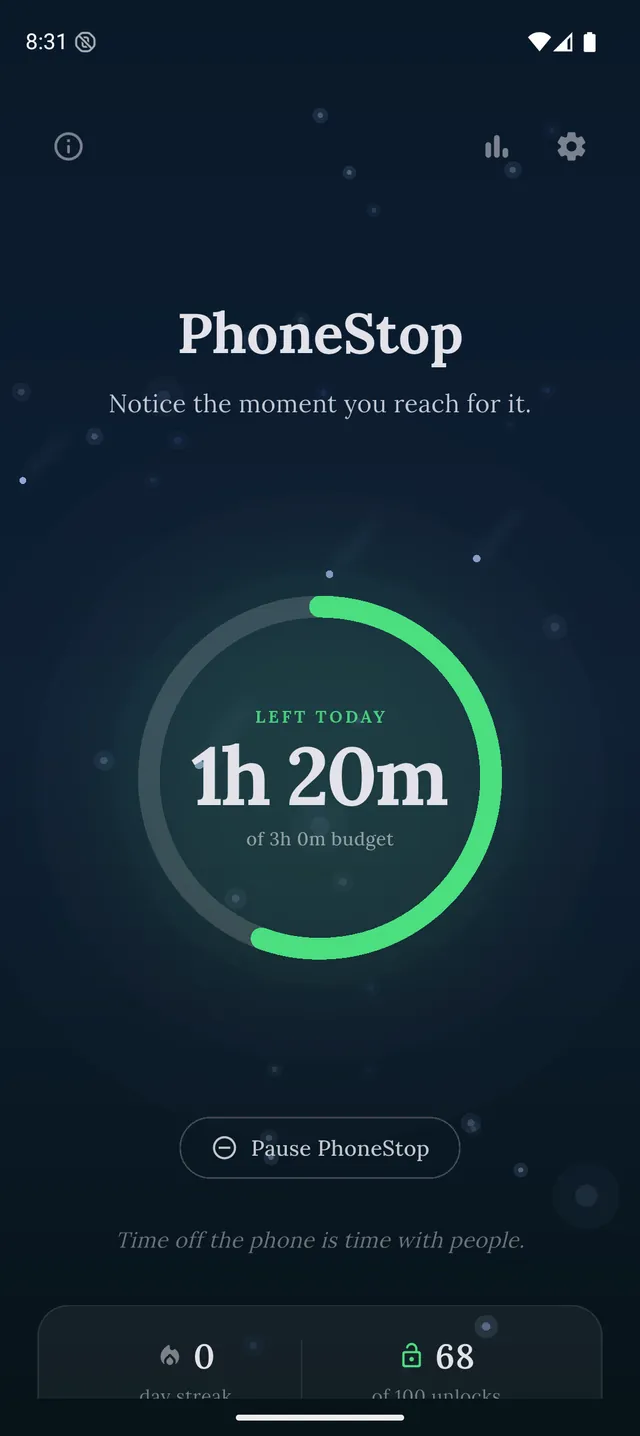

PhoneStop is a free Android app. Set a daily screen time budget, get warned before it runs out, and get stopped when it does.

Android. No account, no ads. Your screen time never leaves your phone. An iPhone version is coming soon.
Built in the open, by one person. The next thing PhoneStop does is decided by the people using it, so come and argue for it, report what is broken, or post the week you finally got under your number.
Questions people ask
Do app blockers work?
For a specific app at a specific time, yes: that is what they are good at. For lowering total screen time, they mostly relocate it: the hours move to whatever is not on the list. If your blocklist has grown three times this year, that is the pattern.
Is it better to block apps or set a time limit?
Block when you can name the app and the time and you would never defend opening it. Set a total limit when the problem is the hours rather than the app. Most people describe the second problem and then buy a tool for the first.
Why does deleting an app rarely work?
Same reason. Deleting Instagram removes one destination, not the habit of reaching for the phone, so the reach lands somewhere else: usually the browser, where the same feed is waiting.
What should I measure instead?
Total screen-on time per day, and nothing else at first. It is the one number that cannot be gamed by moving the habit, and it is the one that corresponds to what you actually lost.