The best screen time apps for students in 2026
Two different problems: protecting a study block, and stopping the two-hour scroll that happens instead of one. Most students need one app for each.
By Ruslan Shchuchkin, who built PhoneStop · · Read this page as Markdown
A student's version of this problem has a shape. The phone is the study tool, the social life and the distraction at once, so blanket blocking backfires. Money is tight, so a $100 subscription is not the answer. And the failure mode is specific: sitting down to revise, and losing the first ninety minutes.
That means a focus timer for the session you chose, and something with an opinion about the rest of the day.
How we judged them
- Free, or a one-time purchase.
- It must not block the phone as a tool: notes, maps, messages and the bank still have to work.
- Something for the study block, and something for everything else.
- It has to survive exam week, when the temptation to disable it peaks.
| App | Best for | Whole-phone limit | Warns before the limit | Platforms | Price | Try it |
|---|---|---|---|---|---|---|
| Forest | The study block itself | No | No | iPhone, iPad, Android, browser extension | One-time purchase on iOS; free with in-app purchases on Android | vs PhoneStop |
| PhoneStop | The hours around the study block | Yes | Yes: 60/30/10 min left | Android | Free | Get it free |
| ScreenZen | Free per-app limits | No | Only on app open | iPhone, iPad, Android | Free, donation-supported | vs PhoneStop |
| Digital Wellbeing | Free bedtime control | No | No | Android (built in) | Free | vs PhoneStop |
| Freedom | Writing on a laptop | No | Session start and end notices | iPhone, iPad, Android, Mac, Windows, Chrome | Subscription, with a lifetime option (around $100) | vs PhoneStop |
| Cold Turkey Blocker | A laptop deadline you cannot miss | No | No | Windows and Mac. There is no phone version | Free tier for websites; one-time purchase for Pro (around $39) | vs PhoneStop |
The list
1. Forest: The study block itself
iPhone, iPad, Android, browser extension · One-time purchase on iOS; free with in-app purchases on Android
The classic student app for a reason: cheap or free, pleasant, and a growing tree is a surprisingly effective stake for a fifty-minute revision session. Pairs perfectly with a pomodoro timer.
Good: One-time cost on iPhone, free on Android, and genuinely motivating.
Less good: Only guards sessions you start.
Read the full PhoneStop vs Forest comparison
2. PhoneStop: The hours around the study block
Android · Free
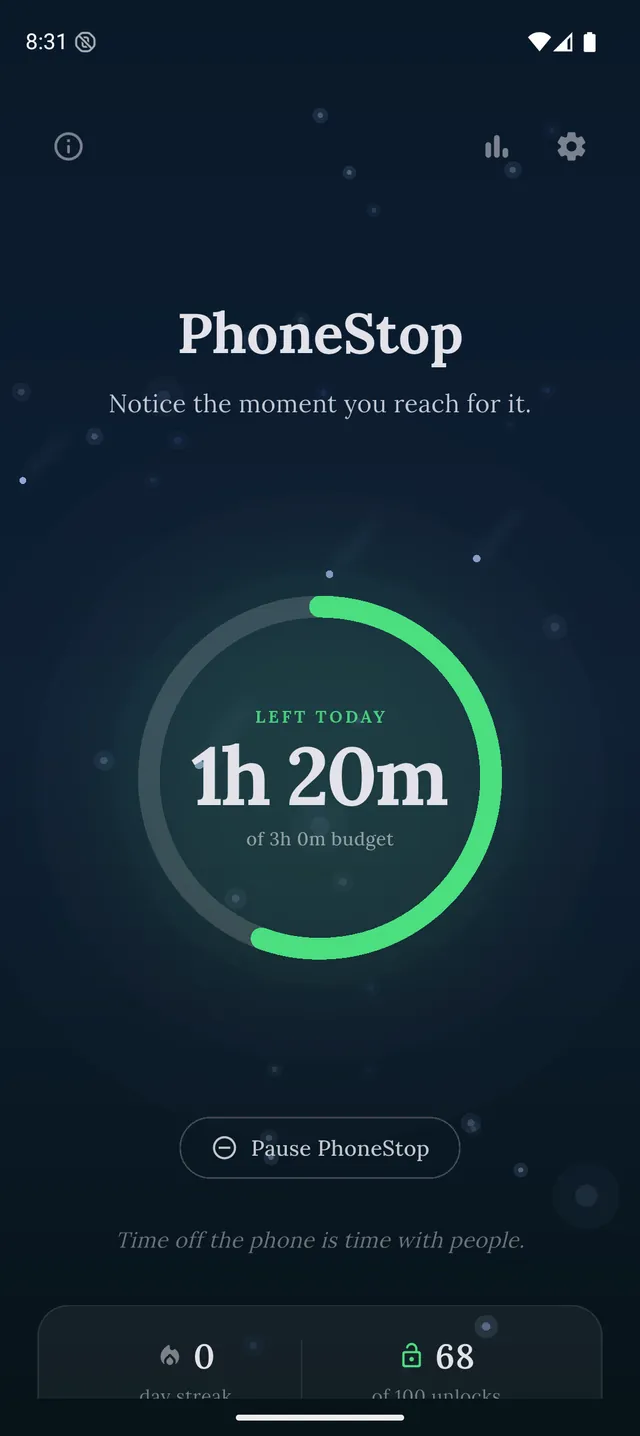
Set the budget to what you actually want a day to look like in exam term. It runs by itself, warns you at 60, 30 and 10 minutes left, and at zero puts up a full screen with a reset and a lock. Free, which matters at this end of the market.
PhoneStop
30 minutes left
Half an hour of budget to go. A good moment to pick where it goes.
PAUSE
PhoneStop
Time's up
You are out of budget for today. Take a minute, then lock the phone.
PAUSE
Good: Free, no configuration, covers the whole phone.
Less good: Android only, and it counts all screen time including the useful kind.
3. ScreenZen: Free per-app limits
iPhone, iPad, Android · Free, donation-supported
Put a cap on the two apps that eat your evenings, keep everything else untouched. Free, and quick enough to set up between lectures.
Good: Free on both platforms.
Less good: Needs maintaining as your app habits shift.
Read the full PhoneStop vs ScreenZen comparison
4. Digital Wellbeing: Free bedtime control
Android (built in) · Free
Bedtime mode is the underrated student feature. Sleep is the first thing to go in exam term and the thing that costs the most, and greying the screen at midnight is free.
Good: Costs nothing, already installed.
Less good: Dismissible, and per-app timers leak.
Read the full PhoneStop vs Digital Wellbeing comparison
5. Freedom: Writing on a laptop
iPhone, iPad, Android, Mac, Windows, Chrome · Subscription, with a lifetime option (around $100)
If the essay is on a laptop, phone-only tools are pointless: you will simply switch screens. Freedom blocks both at once, and student pricing sometimes exists.
Good: Covers the machine you are actually writing on.
Less good: Subscription, which is a real cost at this budget.
Read the full PhoneStop vs Freedom comparison
6. Cold Turkey Blocker: A laptop deadline you cannot miss
Windows and Mac. There is no phone version · Free tier for websites; one-time purchase for Pro (around $39)
The strictest desktop blocker made. Frozen Turkey locks you out of the computer entirely for a set period, which is either exactly what you need the night before a deadline or a terrible idea.
Good: One-time purchase, and nothing beats it for strictness.
Less good: Desktop only, and genuinely unforgiving.
Read the full PhoneStop vs Cold Turkey Blocker comparison

The verdict
The cheap combination that covers both problems: Forest (or any timer) for the study block, PhoneStop for the rest of the day on Android, Digital Wellbeing bedtime mode for sleep. That is free or nearly free, and it addresses the study session, the scroll and the sleep separately.
Disclosure: we make PhoneStop, so treat our own entry with the scepticism it deserves. Everything else here is written from public information and hands-on use; prices and platforms were checked in September 2026 and change often, so check the vendor before you pay.
PhoneStop is a free Android app. Set a daily screen time budget, get warned before it runs out, and get stopped when it does.

Android. No account, no ads. Your screen time never leaves your phone. An iPhone version is coming soon.
Questions people ask
What is the best free app to stop phone distraction while studying?
Forest on Android is free and built for exactly this. Pair it with something covering the rest of the day, because a study timer is silent for the other twenty-two hours.
Should I just delete social media during exams?
It works, and most people reinstall within days. A cap or a schedule tends to survive longer than deletion, and leaves the social contact you actually need.
How do I stop using my phone in lectures?
Put it in a bag rather than face-down on the desk: visibility is the cue. Software helps at home; distance helps in a room.