The best digital detox apps in 2026
"Digital detox" covers two different projects: a weekend away from the phone, and a permanent change in how much you use it. Different apps win at each.
By Ruslan Shchuchkin, who built PhoneStop · · Read this page as Markdown
A detox is a defined period off. A habit change is a new steady state. Apps built for the first are all-or-nothing and are meant to be switched on and off; apps built for the second run quietly forever and never fully block anything.
Using a detox tool for a habit change is why people bounce: three days of total abstinence, then a rebound. The list below says which project each app is for.
How we judged them
- Detox tool or habit tool?
- How hard is the off switch? For a defined detox, you want it hard. For everyday use, you want it honest.
- Does it cover the browser and the laptop, where a detox usually leaks?
- Is it something you can keep after the detox ends?
| App | Best for | Whole-phone limit | Warns before the limit | Platforms | Price | Try it |
|---|---|---|---|---|---|---|
| Brick | A weekend genuinely off | No | No | iPhone and Android (needs recent OS versions) | $59 one-time for the puck; the app is free | vs PhoneStop |
| Freedom | Detoxing every screen at once | No | Session start and end notices | iPhone, iPad, Android, Mac, Windows, Chrome | Subscription, with a lifetime option (around $100) | vs PhoneStop |
| PhoneStop | The day after the detox | Yes | Yes: 60/30/10 min left | Android | Free | Get it free |
| minimalist phone | A permanently duller phone | No | No | Android (it is a launcher; iPhone does not allow them) | Seven-day trial, then a subscription or a one-time purchase (around $25 for lifetime) | vs PhoneStop |
| AppBlock | A structured week off social media | No | Profile start and end notices | Android, iPhone | Usable free tier; premium by month, year or a one-time payment | vs PhoneStop |
| Digital Wellbeing | A free trial run | No | No | Android (built in) | Free | vs PhoneStop |
The list
1. Brick: A weekend genuinely off
iPhone and Android (needs recent OS versions) · $59 one-time for the puck; the app is free
The best detox object here. Brick the phone on Friday night, leave the puck at home, and the decision is made for the weekend. Nothing software-based comes close for a defined period.
Good: Physical, one-time cost, and it holds.
Less good: Too blunt for everyday use: you are either bricked or you are not.
Read the full PhoneStop vs Brick comparison
2. Freedom: Detoxing every screen at once
iPhone, iPad, Android, Mac, Windows, Chrome · Subscription, with a lifetime option (around $100)
A detox that only covers the phone moves to the laptop. Freedom schedules a session across all your devices and Locked Mode stops you cancelling it on day two.
Good: The only entry that covers desktop properly.
Less good: Subscription, account, and a VPN profile on mobile.
Read the full PhoneStop vs Freedom comparison
3. PhoneStop: The day after the detox
Android · Free
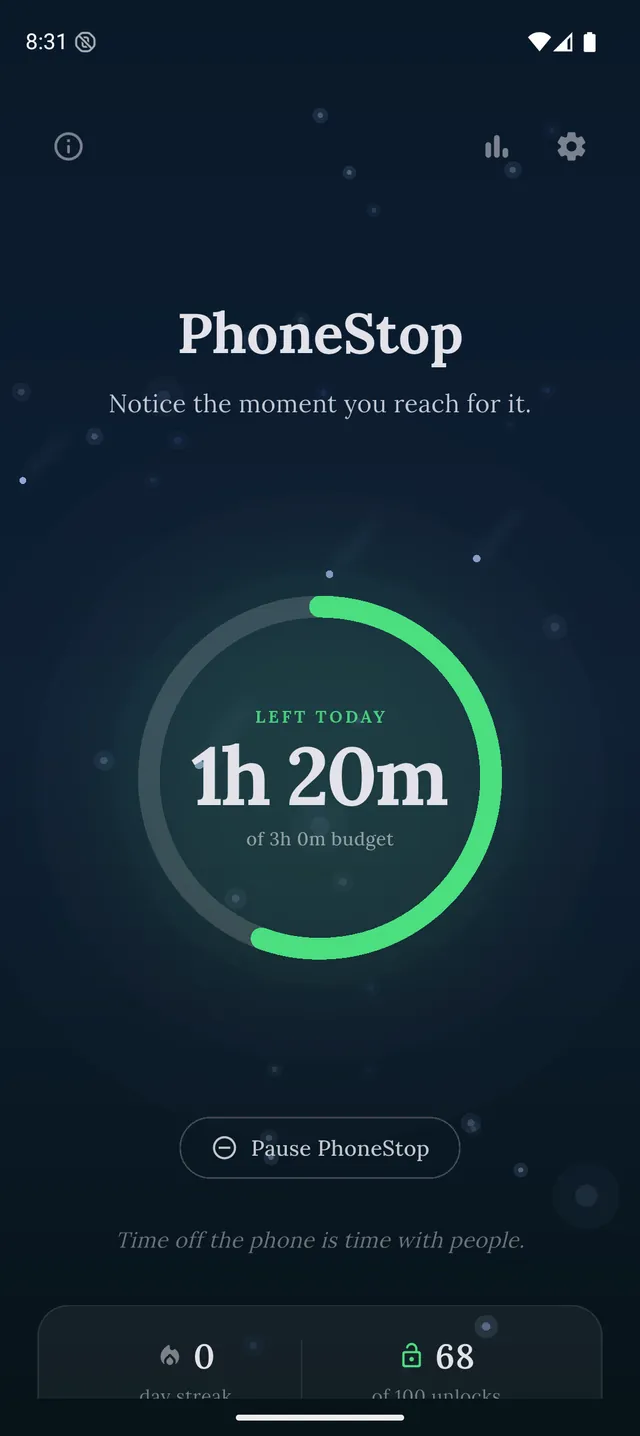
Detoxes end. PhoneStop is for the steady state that follows: a daily budget that runs forever, gets loud as it empties, and stops you at zero, with an honest escape hatch, because a permanent tool has to bend on the day you genuinely need the phone.
PhoneStop
30 minutes left
Half an hour of budget to go. A good moment to pick where it goes.
PAUSE
PhoneStop
Time's up
You are out of budget for today. Take a minute, then lock the phone.
PAUSE
Good: Free, sustainable, and it puts a number on the new normal.
Less good: Not a detox tool: it will never make the phone unusable.
4. minimalist phone: A permanently duller phone
Android (it is a launcher; iPhone does not allow them) · Seven-day trial, then a subscription or a one-time purchase (around $25 for lifetime)
A grey text launcher turns the detox into an environment change rather than an event. Nothing is blocked; the phone is simply less inviting to pick up.
Good: Changes the default rather than fighting you.
Less good: A whole-launcher commitment, and paid after the trial.
Read the full PhoneStop vs minimalist phone comparison
5. AppBlock: A structured week off social media
Android, iPhone · Usable free tier; premium by month, year or a one-time payment
For a detox of a category rather than the phone (no social apps for two weeks, but maps and messages still work), a strict scheduled profile is exactly the right tool.
Good: Precise, and strict enough to survive day three.
Less good: Configuration, and the best parts are paid.
Read the full PhoneStop vs AppBlock comparison
6. Digital Wellbeing: A free trial run
Android (built in) · Free
Focus mode pauses a chosen set of apps and bedtime mode greys the screen on a schedule. Free, already there, and enough to test whether a weekend off is something you want.
Good: No cost and no commitment.
Less good: Easy to lift, which defeats the point of a detox.
Read the full PhoneStop vs Digital Wellbeing comparison

The verdict
For a defined detox, buy friction you cannot undo from the sofa: Brick for the phone, Freedom if the laptop is part of the problem. For the part that matters more (what happens the week after) run a budget with PhoneStop and keep the number visible. Detoxes are easy. Tuesday is hard.
Disclosure: we make PhoneStop, so treat our own entry with the scepticism it deserves. Everything else here is written from public information and hands-on use; prices and platforms were checked in September 2026 and change often, so check the vendor before you pay.
PhoneStop is a free Android app. Set a daily screen time budget, get warned before it runs out, and get stopped when it does.

Android. No account, no ads. Your screen time never leaves your phone. An iPhone version is coming soon.
Questions people ask
How long should a digital detox be?
Long enough to notice the withdrawal and short enough that you will actually finish it. A weekend is plenty for a first attempt; what matters more is what you replace the time with.
Does a digital detox actually help?
It reliably produces a short-term reset and reliably rebounds if nothing else changes. Treat it as a way to notice the habit, not as the fix.
What should I use after a detox?
Something that runs every day without effort. A daily budget, a duller launcher, or friction on the two apps you missed most during the detox: that last one is useful information.