The best apps to stop doomscrolling in 2026
Doomscrolling is not a decision. It is what happens when nobody ends the session. The apps that help are the ones that can reach you while it is happening.
By Ruslan Shchuchkin, who built PhoneStop · · Read this page as Markdown
The word describes something specific: a long, passive, slightly unpleasant scroll through bad news or an infinite feed, usually late, usually unplanned. Two features of that matter for picking an app.
First, you did not choose it, so anything that requires you to start a session in advance will not be running. Second, it is the duration that hurts, not the opening: you would not regret three minutes of the feed. So the apps that work here interrupt during the session, not before it.
How we judged them
- Does it reach you mid-scroll, or only at the door?
- Does it work without being switched on first?
- Is the interruption calmer than the feed? An aggressive alarm makes the anxious scroll worse, not better.
- Does it cover the browser, where a lot of the scroll actually happens?
| App | Best for | Whole-phone limit | Warns before the limit | Platforms | Price | Try it |
|---|---|---|---|---|---|---|
| PhoneStop | Ending the session you did not plan | Yes | Yes: 60/30/10 min left | Android | Free | Get it free |
| one sec | Breaking the reach for the app | No | No | iPhone, iPad, Android, browser extension | Free for one app; subscription to go further (around $50/year) | vs PhoneStop |
| ScreenZen | A free cap on the feeds | No | Only on app open | iPhone, iPad, Android | Free, donation-supported | vs PhoneStop |
| Digital Wellbeing | The free first move | No | No | Android (built in) | Free | vs PhoneStop |
| AppBlock | Making the feed unavailable after 10pm | No | Profile start and end notices | Android, iPhone | Usable free tier; premium by month, year or a one-time payment | vs PhoneStop |
| minimalist phone | Removing the pull of the home screen | No | No | Android (it is a launcher; iPhone does not allow them) | Seven-day trial, then a subscription or a one-time purchase (around $25 for lifetime) | vs PhoneStop |
The list
1. PhoneStop: Ending the session you did not plan
Android · Free
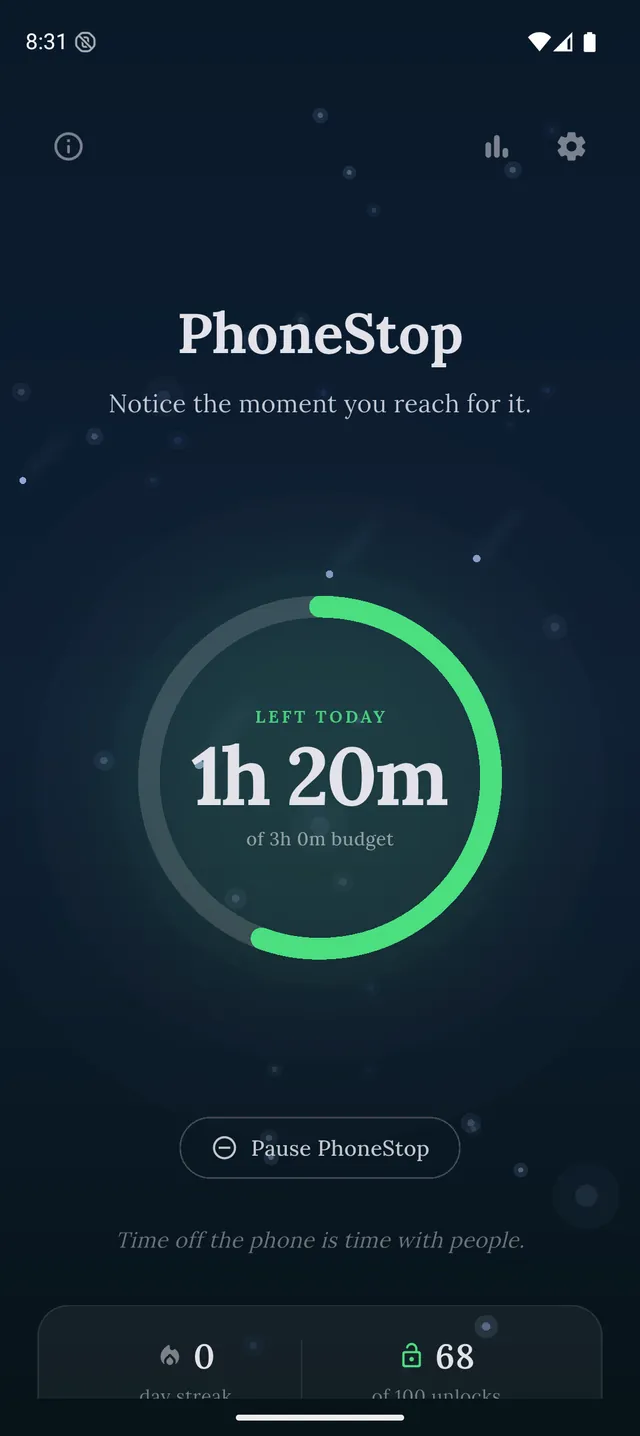
This is the shape of the problem PhoneStop is built for. The budget is always running, so there is nothing to switch on; warnings arrive on top of the feed at 60, 30 and 10 minutes left; and at zero the scroll is replaced by a full screen, a fifteen-second breath, and a lock button.
PhoneStop
30 minutes left
Half an hour of budget to go. A good moment to pick where it goes.
PAUSE
PhoneStop
Time's up
You are out of budget for today. Take a minute, then lock the phone.
PAUSE
Good: Reaches you inside the feed, without you having planned anything.
Less good: Android only. It counts all screen time, so a long map session spends the same budget.
2. one sec: Breaking the reach for the app
iPhone, iPad, Android, browser extension · Free for one app; subscription to go further (around $50/year)
A breath before the feed opens, and the option to stop opens entirely after a count you set. It will not end a scroll in progress, but it prevents a good number of them from starting.
Good: The best-evidenced intervention for compulsive opening.
Less good: Silent once you are in.
Read the full PhoneStop vs one sec comparison
3. ScreenZen: A free cap on the feeds
iPhone, iPad, Android · Free, donation-supported
Put a delay and an open limit on the three feeds that do it to you. The intention prompt is unusually effective for doomscrolling, because the honest answer is usually nothing.
Good: Free, and per-app control is a good fit when it is always the same two apps.
Less good: Anything you forget to add is unlimited.
Read the full PhoneStop vs ScreenZen comparison
4. Digital Wellbeing: The free first move
Android (built in) · Free
Set a timer on the feed and turn on bedtime mode, which is when most doomscrolling happens. Expect to dismiss it, but the weekly number alone is worth the five minutes of setup.
Good: Free and already installed.
Less good: The dismiss button arrives exactly when you are least able to refuse it.
Read the full PhoneStop vs Digital Wellbeing comparison
5. AppBlock: Making the feed unavailable after 10pm
Android, iPhone · Usable free tier; premium by month, year or a one-time payment
A scheduled profile that blocks the feeds every night, with Strict Mode on so the schedule survives contact with you at 11pm. The bluntest fix for a nocturnal habit.
Good: A schedule you cannot lift is a genuinely strong answer to late-night scrolling.
Less good: Setup, and a paid tier for the best of it.
Read the full PhoneStop vs AppBlock comparison
6. minimalist phone: Removing the pull of the home screen
Android (it is a launcher; iPhone does not allow them) · Seven-day trial, then a subscription or a one-time purchase (around $25 for lifetime)
A grey, text-only launcher. It blocks nothing, but the feed is no longer a coloured icon under your thumb: you have to type its name, which is enough friction for some people.
Good: Attacks the reach rather than the app.
Less good: A whole-launcher commitment, and a subscription after the trial.
Read the full PhoneStop vs minimalist phone comparison

The verdict
If your scroll happens in bed, at midnight, on a phone you picked up for no reason: use PhoneStop so something interrupts you mid-feed, and turn on bedtime mode for free while you are at it. If your scroll is a specific app you open forty times a day, one sec or ScreenZen attacks the right end of the problem.
Disclosure: we make PhoneStop, so treat our own entry with the scepticism it deserves. Everything else here is written from public information and hands-on use; prices and platforms were checked in September 2026 and change often, so check the vendor before you pay.
PhoneStop is a free Android app. Set a daily screen time budget, get warned before it runs out, and get stopped when it does.

Android. No account, no ads. Your screen time never leaves your phone. An iPhone version is coming soon.
Questions people ask
What is doomscrolling?
Compulsively scrolling through negative or endless content, usually longer than you meant to and usually without having decided to start. The distinguishing feature is that it is passive and unplanned.
Does deleting the app work?
For a while. Most people reinstall, or move to the browser version. Deleting works best combined with something that catches the replacement behaviour.
What should I do instead of doomscrolling?
Anything with an end. The reason a breathing timer or twenty squats works as an interruption is not that it is virtuous: it is that it finishes, which the feed never does.