The best app blockers for Android in 2026
An app blocker is only as good as its behaviour in the ninety seconds when you want it gone. Here is how six of them behave.
By Ruslan Shchuchkin, who built PhoneStop · · Read this page as Markdown
Every app blocker on Android is built on the same two or three system permissions, which means they are all roughly as capable of blocking. Where they differ is how hard they make it to stop blocking, and that is the only thing that matters at 11pm.
One warning before the list: an app blocker cannot block itself. Anything on this page can be uninstalled in about forty seconds. The stricter tools make that the only route out, which is the point.
How we judged them
- How the block is enforced, and what happens when you try to lift it.
- Whether it needs an accessibility service, which can read screen content, or a VPN profile, which sees traffic.
- How much configuration it takes before it protects you at all.
- Whether the free tier blocks anything useful.
| App | Best for | Whole-phone limit | Warns before the limit | Platforms | Price | Try it |
|---|---|---|---|---|---|---|
| AppBlock | The strictest option overall | No | Profile start and end notices | Android, iPhone | Usable free tier; premium by month, year or a one-time payment | vs PhoneStop |
| ScreenZen | A soft block that people keep | No | Only on app open | iPhone, iPad, Android | Free, donation-supported | vs PhoneStop |
| PhoneStop | People who do not want a blocklist at all | Yes | Yes: 60/30/10 min left | Android | Free | Get it free |
| Brick | A block you cannot argue with | No | No | iPhone and Android (needs recent OS versions) | $59 one-time for the puck; the app is free | vs PhoneStop |
| Unpluq | Granular blocking with a physical key | No | No | Android and iPhone, plus a physical tag | Around $79 for the Tag with a year included, then a subscription (around $35/year) | vs PhoneStop |
| Freedom | Blocking the laptop at the same time | No | Session start and end notices | iPhone, iPad, Android, Mac, Windows, Chrome | Subscription, with a lifetime option (around $100) | vs PhoneStop |
The list
1. AppBlock: The strictest option overall
Android, iPhone · Usable free tier; premium by month, year or a one-time payment
Profiles you can trigger by schedule, location or launch count, plus a Strict Mode that will not let you disable it mid-session. If you are shopping for a blocker specifically, this is the one to try first.
Good: Strict Mode is the real thing; free tier is genuinely usable.
Less good: Configuration-heavy; the best features are paid.
Read the full PhoneStop vs AppBlock comparison
2. ScreenZen: A soft block that people keep
iPhone, iPad, Android · Free, donation-supported
Rather than refusing, ScreenZen makes you wait, asks what you came for, and caps your opens. Softer than a wall, and much more likely to still be installed in a month.
Good: Free, fast to set up, and on iPhone too.
Less good: You can always tap through, by design.
Read the full PhoneStop vs ScreenZen comparison
3. PhoneStop: People who do not want a blocklist at all
Android · Free
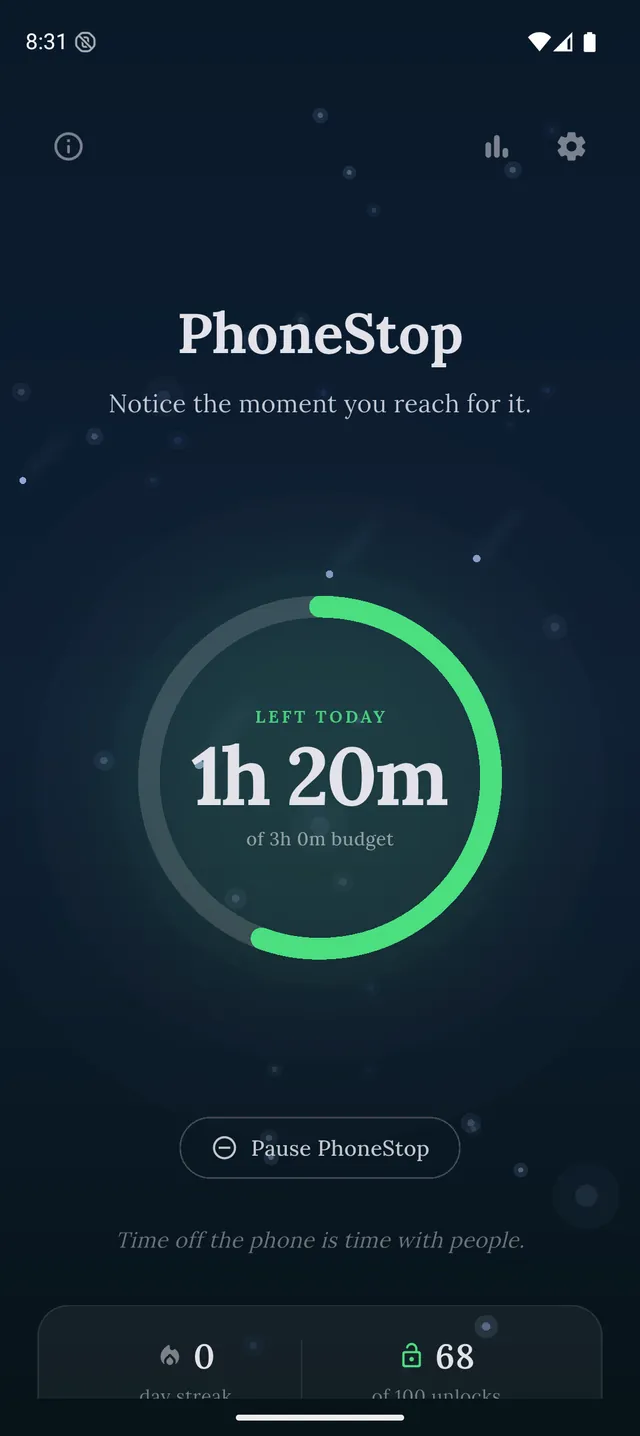
PhoneStop is on this page as the honest alternative to blocking: it does not block anything. It gives the whole phone a daily budget, warns you as it runs down, and takes the screen over at zero with a reset and a lock button.
PhoneStop
30 minutes left
Half an hour of budget to go. A good moment to pick where it goes.
PAUSE
PhoneStop
Time's up
You are out of budget for today. Take a minute, then lock the phone.
PAUSE
Good: Free, nothing to configure, and nothing to bypass because nothing is locked.
Less good: If you genuinely need one app gone at 11pm, this is not that.
4. Brick: A block you cannot argue with
iPhone and Android (needs recent OS versions) · $59 one-time for the puck; the app is free
The apps disappear until you physically tap the phone against a puck. The strongest enforcement here, provided you leave the puck somewhere inconvenient.
Good: Physical friction beats software friction, and it is a one-time cost.
Less good: $59, and needs an account and a recent phone.
Read the full PhoneStop vs Brick comparison
5. Unpluq: Granular blocking with a physical key
Android and iPhone, plus a physical tag · Around $79 for the Tag with a year included, then a subscription (around $35/year)
The subscription version of the hardware idea: a Bluetooth or NFC key, with a much more detailed model of which apps are locked when.
Good: More flexible than Brick's all-or-nothing bricking.
Less good: A subscription on top of hardware.
Read the full PhoneStop vs Unpluq comparison
6. Freedom: Blocking the laptop at the same time
iPhone, iPad, Android, Mac, Windows, Chrome · Subscription, with a lifetime option (around $100)
One session covers the phone, the laptop and the browser, so the habit cannot simply move screens. On mobile it installs a local VPN profile to filter sites.
Good: Nothing else here covers desktop properly; Locked Mode is strong.
Less good: Subscription, account, and a VPN profile on your phone.
Read the full PhoneStop vs Freedom comparison

The verdict
For most people the answer is AppBlock: it is the strictest software on Android and its free tier will tell you within a week whether blocking works for you. If you have already been through two blockers and gone around both, stop buying blockers: either buy the physical friction of Brick, or stop blocking and start measuring with PhoneStop. Repeatedly defeating your own blocklist is information, not a failure.
Disclosure: we make PhoneStop, so treat our own entry with the scepticism it deserves. Everything else here is written from public information and hands-on use; prices and platforms were checked in September 2026 and change often, so check the vendor before you pay.
PhoneStop is a free Android app. Set a daily screen time budget, get warned before it runs out, and get stopped when it does.

Android. No account, no ads. Your screen time never leaves your phone. An iPhone version is coming soon.
Questions people ask
Can an app blocker stop me uninstalling it?
Not really. Some use device administrator privileges to slow it down, but any app on Android can be removed from Settings. Hardware tools like Brick work because the undo is physical rather than digital.
Do app blockers work without an accessibility service?
For blocking apps, usage access is often enough. Website blocking inside browsers usually needs the accessibility service, and strict modes tend to want it too.
Is blocking better than limiting?
It depends on the failure. Blocking suits one named app you would never defend opening. Limiting suits total time, which is what most people are actually losing.