Apple Screen Time alternatives in 2026
Apple Screen Time is the iPhone default. Genuinely capable, and one tap away from being ignored. Here is what to use instead, depending on why you are leaving.
By Ruslan Shchuchkin, who built PhoneStop · · Read this page as Markdown
Why people look for an alternative to Apple Screen Time
Almost nobody searches for an alternative to Apple Screen Time because it lacks a feature. They search because they beat it.
- The button. You set the limit yourself, you reach it, and the block screen offers you a way past. iOS 26 tightened a great deal here and still keeps one extra minute available every day by design, because Apple cannot risk locking you out of your own phone in an emergency.
- You know the passcode. A Screen Time passcode is a real barrier when a parent sets it for a child. Set for yourself, it is four digits you chose and can type in two seconds.
- It was built for families. The mental model throughout is one person restricting another. Turned on yourself, you are playing both parts, and you always lose the argument.
- The reports arrive afterwards. A weekly summary on Sunday is a receipt, not an intervention.
- It is not on Android. If you switched phones, the tool everyone recommends does not come with you.
| App | Platforms | Price | At the limit |
|---|---|---|---|
| PhoneStop | Android | Free | A full-screen stop, a reset, then a one-tap lock |
| ScreenZen | iPhone, iPad, Android | Free, donation-supported | Shows a pause screen and can refuse the open once you pass your cap |
| Opal | iPhone and iPad (an Android build exists but trails the iOS app) | Free tier, subscription for the real features (around $100/year) | Blocks the apps in your session; Deep Focus makes the block hard to lift |
| Jomo | iPhone and iPad | Subscription, with a one-time lifetime option | Blocks the app or category and shows your own intention back to you |
| one sec | iPhone, iPad, Android, browser extension | Free for one app; subscription to go further (around $50/year) | There is no daily limit: it interrupts each time you open the app |
| BePresent | iPhone and iPad, with an Android app that trails it | Seven-day trial, then a subscription (around $60/year) | Blocks the apps in your session, and tells your accountability partners if you miss a goal |
The alternatives
1. PhoneStop
Android · Free
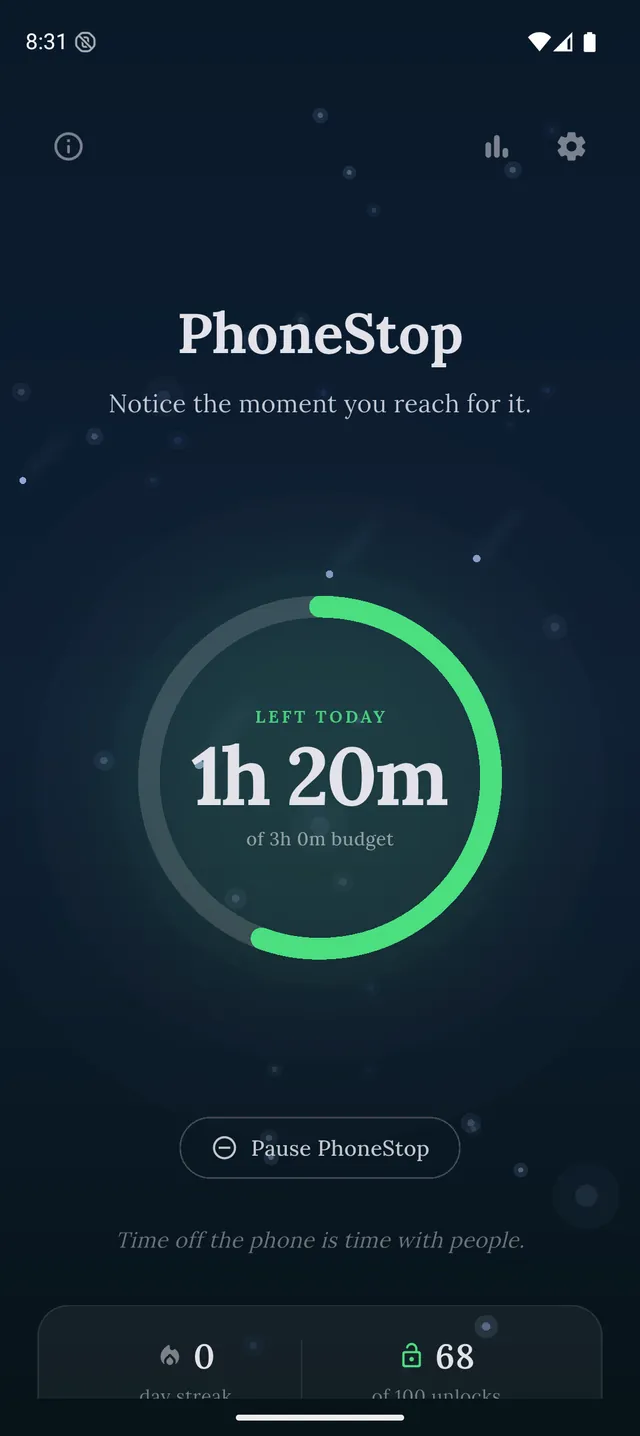
Free, no account. Android today with an iPhone version in progress, so on iPhone this is one to note rather than install: one budget for the whole phone, warnings at 60, 30 and 10 minutes, and a full-screen stop with a lock button.
2. ScreenZen
iPhone, iPad, Android · Free, donation-supported
The free one, on both platforms. A pause screen before the app opens and a cap on how many times you may open it: far harder to wave away than a block screen with a button on it.
3. Opal
iPhone and iPad (an Android build exists but trails the iOS app) · Free tier, subscription for the real features (around $100/year)
The paid iPhone answer. Deep Focus is the feature people buy, and it is the closest thing to a limit you genuinely cannot argue with.
4. Jomo
iPhone and iPad · Subscription, with a one-time lifetime option
If Screen Time's categories were the right idea and the enforcement was the problem, Jomo is that idea done properly, with a one-time purchase option.
5. one sec
iPhone, iPad, Android, browser extension · Free for one app; subscription to go further (around $50/year)
Fixes the reach rather than the hour. A breath before the app opens, with published research behind it.
6. BePresent
iPhone and iPad, with an Android app that trails it · Seven-day trial, then a subscription (around $60/year)
For people who beat every limit alone. Streaks, a leaderboard, and friends who get a message when you miss your goal.

Disclosure: we make PhoneStop, so treat our own entry with the scepticism it deserves. Everything else here is written from public information and hands-on use; prices and platforms were checked in September 2026 and change often, so check the vendor before you pay.
PhoneStop is a free Android app. Set a daily screen time budget, get warned before it runs out, and get stopped when it does.

Android. No account, no ads. Your screen time never leaves your phone. An iPhone version is coming soon.
Questions people ask
How do I stop myself ignoring Screen Time limits?
Have someone else set the Screen Time passcode and not tell you: that is the only route that works inside Apple's own tools. Everything else is a third-party app that puts a harder stop in the way, which is what Opal's Deep Focus, Jomo and one sec are each selling.
What is the best free alternative to Apple Screen Time?
ScreenZen on either platform, and PhoneStop on Android. Both are free for everything that matters: ScreenZen has no paid tier, and PhoneStop's optional $9.99 Supporter upgrade only adds an extra notification tone. That is unusual here: most of the category gives you a free trial and a subscription.