How PhoneStop works
Most screen time apps show you a number at the end of the day, when it is too late to matter. PhoneStop works in the moment.
By Ruslan Shchuchkin, who built PhoneStop · · Read this page as Markdown
Set your budget
Pick the screen time you want per day. Onboarding suggests a realistic starting point based on what you use now.
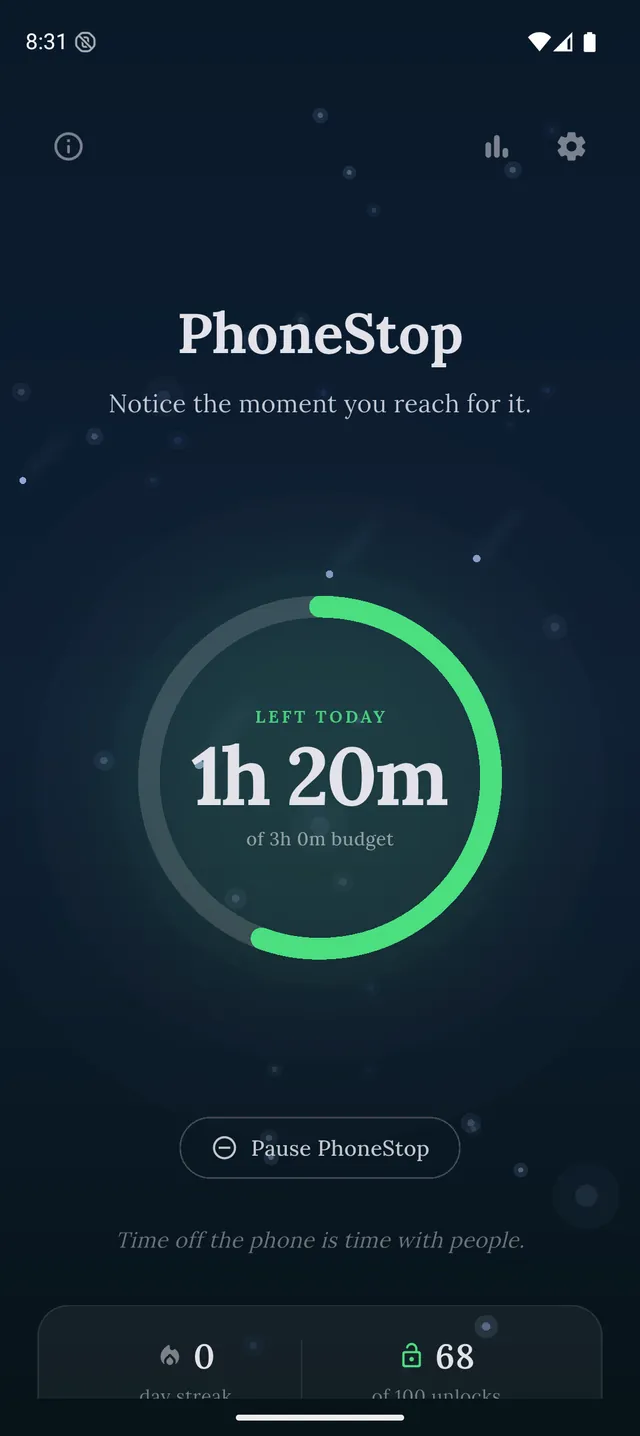
Watch it drain
One ring on the home screen, emptying as you use your phone. One glance tells you where you stand.
Get warned in time
Notifications reach you at roughly 60, 30 and 10 minutes left, inside whatever app you are using, not buried in a weekly report.
PhoneStop
30 minutes left
Half an hour of budget to go. A good moment to pick where it goes.
PAUSE
PhoneStop
Time's up
You are out of budget for today. Take a minute, then lock the phone.
PAUSE
A warning that arrives inside the app you are scrolling is worth more than a report you read the next morning, because by then the decision has already been made. This is the step nothing else does.
Get stopped
At zero, a full-screen reminder takes over and asks you to put the phone down.
Let the urge pass
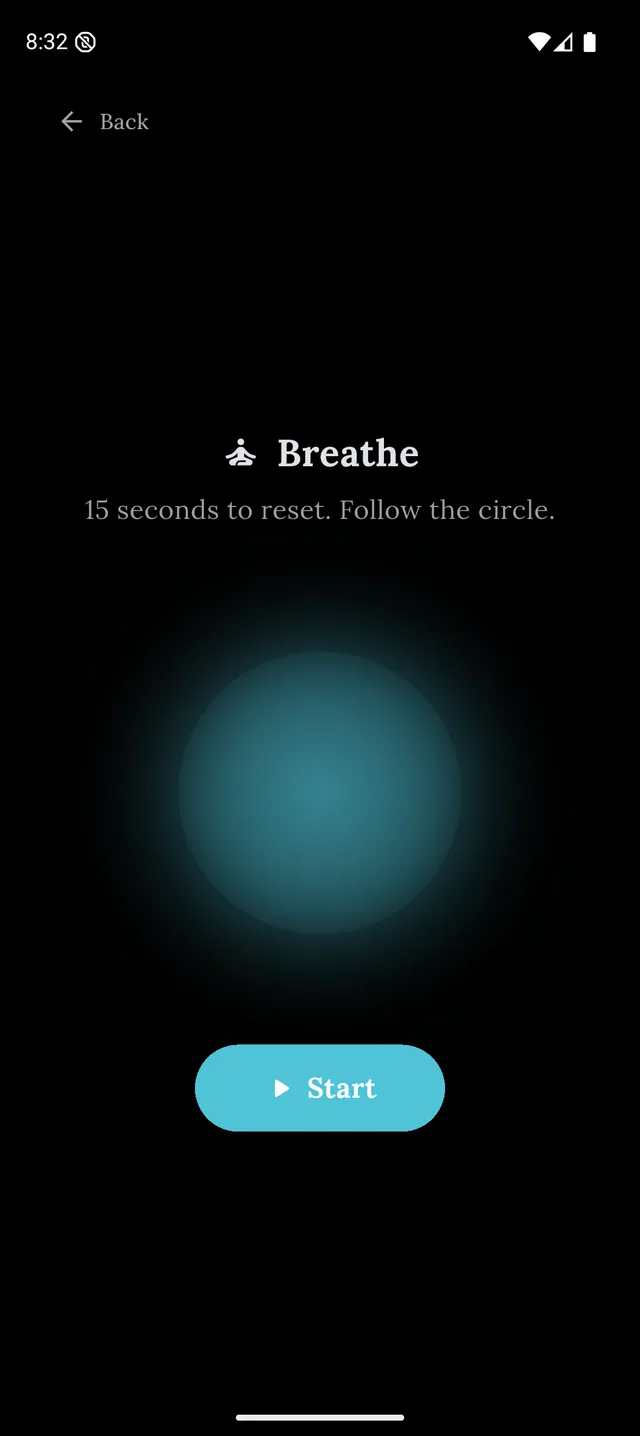
Over your limit, PhoneStop offers something to do with the urge rather than a nag: a fifteen-second breathing timer, a set of squats, or push-ups. They buy you nothing, and that is the point: move first, then lock your phone with one tap.
And if you genuinely need your phone (driving, work, an emergency), one tap extends the window and the warnings go quiet. An intervention that cannot be escaped honestly gets uninstalled, so this one can be.

Not a blocklist
PhoneStop does not keep a list of apps to block. There is one number for the whole phone, every app spends from it, and when it is gone it is gone, whatever you were using.
Why blocking one app does not lower your screen time: the longer argument, with what the displacement looks like in practice.
PhoneStop is a free Android app. Set a daily screen time budget, get warned before it runs out, and get stopped when it does.

Android. No account, no ads. Your screen time never leaves your phone. An iPhone version is coming soon.
Questions people ask
Does PhoneStop block apps?
No. It budgets your total screen time instead. Blocklists only cover the apps you thought to add, and the time usually moves to whatever is not on the list.
What happens when the budget runs out?
A full screen takes over: a fifteen-second breathing timer or a set of squats or push-ups, then a one-tap lock. If you genuinely need the phone, one tap extends the window instead.